ActionDirector - Video Editing
Cyberlink CorpVideo Players & Editors
4.55.14K Reviews
- Version
- 7.12.5
- Installs
- 10.00M
- Age Rating
- Everyone
Screenshots
Our Review of ActionDirector - Video Editing
 Analysis by Appyee
Ever found yourself scrolling through your camera roll, thinking about how to turn those random clips into a cinematic masterpiece? Well, let me introduce you to ActionDirector - Video Editing. This app is like having a mini editing studio right in your pocket, and trust me, it’s a game-changer for all the budding filmmakers out there.
Where editing plans can get stuck
A video editor can feel easy until the first project meets real life: clips arrive in different orientations, a soundtrack is louder than a voice, or the final file is not suited to the place you want to share it. I find it useful to decide what the video is for before I start. A short family recap, a narrated how-to, and a fast sports clip need different pacing, even if they use the same editing tools.
That is the kind of modest, practical project where this app makes sense. ActionDirector is a free video editing app from Cyberlink Corp, in the Video Players & Editors category. It has an average rating of 4.5 from around 175,000 ratings, and has been installed over 10 million times. Those figures suggest a well-used option, but they cannot tell you whether its editing style suits your own habits; the most useful test is whether its timeline and controls feel comfortable with your footage.
Checks that make setup smoother
Before importing a pile of clips, I would check that the phone has enough free storage for both the source videos and a rendered copy. Exporting creates a new file, so a project can run into trouble near the finish even if the clips opened normally. It also helps to select the few moments you actually want first. A smaller, purposeful set of clips is easier to arrange and review than a camera roll imported wholesale.
ActionDirector is listed for Everyone and its current version is 7.12.5, with Android 6.0 as the minimum operating system. If you are using an older Android device, checking the system version before trying to install can save time. The app is free to download, with in-app purchases ranging from $1.99 to $24.99 per item, so I would explore the basic workflow before deciding whether any paid option is worth it for your needs.
It is also worth planning the soundtrack early. If a clip includes speech, listen to it before adding music; otherwise, it is easy to make the finished video harder to follow. For a narrated tutorial, I would keep the spoken explanation as the anchor and use music only where it does not compete. That small decision often improves a video more than adding another visual effect.
Getting Started with ActionDirector
Diving into ActionDirector is like hitting play on your creative potential. The app is available for both Android and iOS, so no matter what device you're using, you’re covered. Installation is a breeze, and the user interface is sleek and intuitive. It doesn’t bombard you with a million options right off the bat, which is perfect for someone who might be a bit intimidated by the editing process.
Once you fire up the app, you're greeted with a simple dashboard that makes it incredibly easy to start a new project. Whether you’re looking to edit a quick Instagram story or a full-fledged video project, ActionDirector has got your back. It supports high-definition video, and you can import clips from your gallery with just a few taps.
The Editing Experience
Now, let's get into the nitty-gritty of what makes ActionDirector stand out. The app is packed with features that cater to both beginners and advanced users. You can trim, cut, and rearrange clips effortlessly. The timeline is smooth to navigate, which is crucial for precise editing.
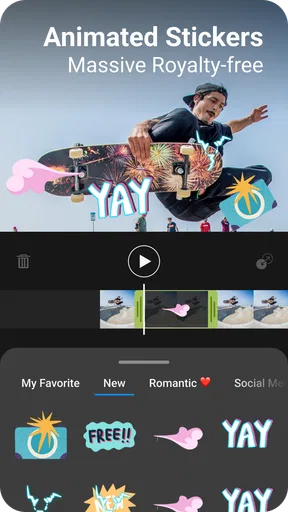
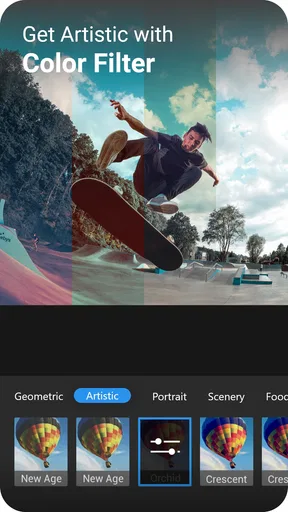
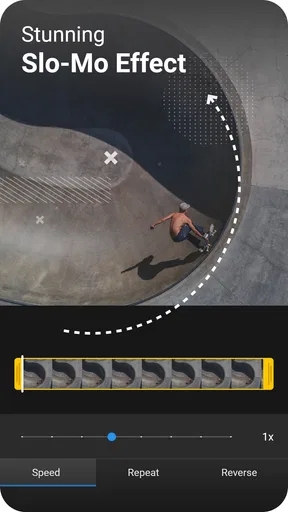
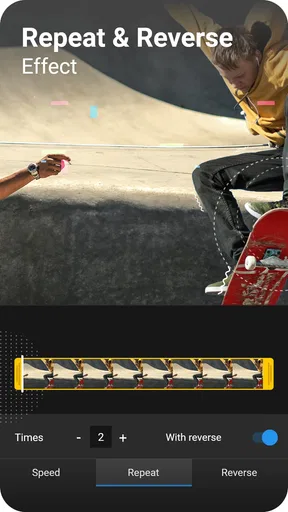
If you're like me and love adding a bit of flair to your videos, you’ll appreciate the range of effects and filters. From subtle color corrections to dramatic cinematic effects, the app has it all. One feature that I found particularly handy is the speed control. You can slow down or speed up clips to create those epic slow-motion sequences or fast-paced action shots. It’s like having your own special effects team!
Making a project easier to finish
One practical way to use the timeline is to build a rough cut before polishing anything. I would put the clips in story order, trim the obvious dead space, and watch the sequence once without effects. That makes it easier to spot a confusing jump or a moment that drags. Only after the basic sequence works would I add speed changes or filters. Effects can help a strong edit, but they rarely rescue a sequence that has no clear rhythm.
Speed control is especially useful when a clip contains one brief moment worth emphasizing. I would avoid slowing down an entire long shot just because the effect is available: a short, deliberate change is often easier to watch and leaves the rest of the video feeling natural. For a quick action recap, a normal-speed lead-in followed by a slowed key moment can make the action easier to notice without making the whole piece feel sluggish.
There is a trade-off to keep in mind with visual effects. A filter that looks attractive on one clip may make a neighboring shot feel inconsistent, particularly if the clips were recorded in different lighting. I would preview transitions between shots rather than judging each clip alone. A restrained look usually holds together better than applying a dramatic treatment everywhere.
Audio and Music
No video is complete without the right soundtrack, right? ActionDirector makes audio editing a breeze. You can add background music from your library or choose from the app’s selection of tracks. Adjusting audio levels is straightforward, and there’s even an option to fade in and out, giving your video that professional touch.
For those who like to add voiceovers, the app allows you to record directly onto your video. This is super handy for creating tutorials or narrating your travel vlogs. The audio quality is surprisingly good, and you can edit the voiceover just like any other audio track.
A realistic phone-editing routine
Imagine recording a short cooking demonstration at home. I would choose a few clear steps, trim pauses while ingredients are being measured, and keep the clip showing the finished dish near the end. A brief voiceover can explain a step that is not obvious on screen, while low background music can fill quieter stretches. Watching the edit once with the phone’s sound on is a simple way to catch music that masks an instruction or a voiceover that starts too late.
For travel footage, the same tools can serve a different purpose: arrange a few establishing shots, then the small details that make the place feel personal, and finish with a memorable view. I would keep the order understandable rather than trying to include every clip. This is where a phone editor is appealing: I can shape a shareable recap soon after filming instead of waiting until I am back at a computer.
Direct voice recording is convenient when a quiet room is available, but it is not a substitute for careful recording conditions. Background noise or handling sounds can distract from narration. If the first take is unclear, recording again in a quieter spot is usually more effective than trying to fix a poor recording through editing. I also like to listen to the narration before choosing music, so the soundtrack supports rather than competes with it.
Exporting and Sharing
Once your masterpiece is ready to go, exporting is simple. You can choose the resolution and quality based on where you plan to share your video. Whether it’s for YouTube, Instagram, or just to keep on your device, ActionDirector provides options for all. The export time is pretty quick, even for longer videos, which is a huge plus when you’re eager to share your creation with the world.
Sharing directly from the app is seamless. With a few taps, you can upload your video to social media platforms or send it to friends and family. It’s all about making the process as smooth as possible, and ActionDirector nails it.
Recovering a workflow when something goes wrong
If playback or export does not behave as expected, I would troubleshoot in small steps rather than immediately rebuilding the project. First, check that the selected clips still open from the gallery and that the phone has room to create an output file. Then try exporting a shorter section or a simpler version of the edit. If that succeeds, add the remaining material back gradually; this can help reveal whether one particular clip or an overloaded sequence is causing the problem.
When a result looks wrong, check the edit itself before blaming the export. A clip may be trimmed too tightly, a speed change may affect more of the shot than intended, or music may cover speech. Previewing the section around the problem is more useful than replaying the whole project each time. For an important video, I would keep the original recordings untouched until I have watched the finished export from beginning to end.
Export settings are a decision, not just a final button press. A higher-quality file can be useful when I want to keep a video, while a more modest choice may be more practical for a quick share. I would match the output to its destination and avoid repeatedly exporting versions at unnecessarily high quality, especially when storage is tight. If a video is meant for a particular social platform, checking how it appears after upload is sensible because the platform may process it again.
When another editor is the better fit
Compared with the usual alternatives, ActionDirector sits in the convenient phone-editor space: it brings clip trimming, rearranging, effects, speed adjustment, audio, and export into a mobile workflow. That is more direct than moving every casual project to desktop software, and it can be a better fit than a basic trimming tool when I want to combine shots with narration or music. The trade-off is that a phone screen and a streamlined editing flow are less comfortable for long, layered projects than a larger desktop setup.
I would choose it for short personal videos, travel recaps, simple tutorials, and action clips where speed changes add emphasis. I would look elsewhere if I needed a highly controlled, complex production or prefer to make detailed edits with a mouse and a large display. People who only need to cut the beginning and end off one clip may find a full editor unnecessary. The best choice depends less on the number of tools and more on whether the job calls for a quick assembled story or fine-grained production work.
Final Thoughts
In a world where content creation is at everyone's fingertips, having the right tools is essential. ActionDirector - Video Editing is one of those tools that can transform your video editing game. It’s user-friendly yet packed with features that cater to all skill levels. Whether you’re editing a simple clip or creating a cinematic experience, this app is up to the task.
If you’re on the hunt for a reliable and powerful video editing app, give ActionDirector a shot. It might just become your go-to editing companion, and who knows? Maybe you’ll be the next viral video sensation. Happy editing!
Who I would recommend it to
I would recommend trying ActionDirector if you want to turn phone footage into a coherent video without first learning a desktop editing workflow. Its mix of trimming, speed changes, effects, music, and voiceover covers the everyday jobs I would expect from a mobile editor. The app’s 4.5 average and roughly 5,100 written reviews give a useful sense of how widely people have responded to it, but my advice is still to judge it by a small project of your own rather than by popularity alone.
For a first test, make a short sequence from a few clips, add one music track or voiceover, and export it at a sensible quality. That single exercise will answer the practical questions: whether the timeline feels manageable, whether the audio controls suit you, and whether the finished file looks right on your device. ActionDirector is free to start using, but its in-app purchases make it worth checking what you actually need before spending anything.
My overall view is that this is a capable choice for quick, personal video work when convenience matters more than fine control. I would not treat it as a replacement for every editing setup, and I would keep expectations realistic about producing a complex film on a phone. For everyday clips, though, it offers a straightforward route from scattered recordings to something with a beginning, a point, and a finish.
Verdict
Strengths of ActionDirector - Video Editing
- Intuitive interface for easy editing.
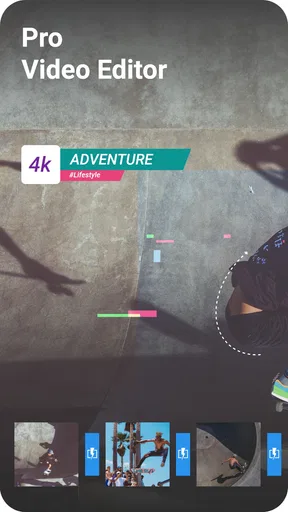
- Supports 4K video for high quality.
- Real-time effects preview available.
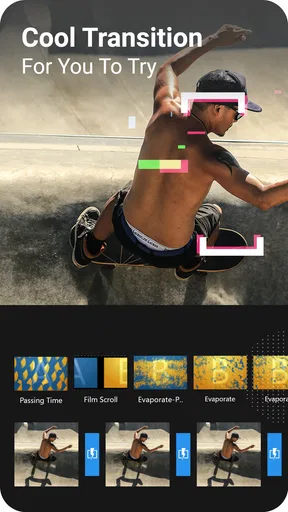
- Wide range of transitions and effects.
- Direct sharing to social media platforms.
Limitations of ActionDirector - Video Editing
- Limited features in free version.
- Some effects are locked behind paywall.
- Occasional lags on older devices.
- In-app ads can be intrusive.
- No advanced color correction tools.
Other Releases by Cyberlink Corp
View All
PowerDirector - Video Editor
Video Players & Editors4.2

PhotoDirector: AI Photo Editor
Photography4.2
Similar Picks in This Category
View All
Google TV
Google LLC3.9

iTunes
Apple4.7

YouTube
Google LLC3.8

MX Player
Amazon Mobile LLC4.2

CapCut - Video Editor
Bytedance Pte. Ltd.3.5

PLAYit-All in One Video Player
PLAYIT TECHNOLOGY PTE. LTD.4.5
Frequently Asked Questions
What features does ActionDirector offer for video editing?
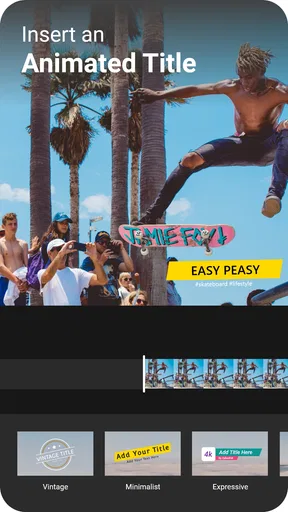
ActionDirector provides a comprehensive suite of features designed for both beginners and advanced users. You can trim and cut videos, apply filters and effects, adjust color settings, and add text or captions. Additionally, it allows you to create slow-motion and fast-motion effects, making it versatile for various editing needs.
Is ActionDirector suitable for professional video editing?
While ActionDirector is primarily geared towards casual and intermediate users, it offers enough features to satisfy some professional needs. Its intuitive interface allows for quick edits, but it might lack some advanced features found in more robust desktop editing software. However, for mobile editing, it’s one of the better options available.
Does ActionDirector support 4K video editing?
Yes, ActionDirector supports 4K video editing, allowing users to edit high-resolution videos directly from their mobile devices. This feature is particularly beneficial for those looking to maintain video quality for sharing on platforms that support 4K content, ensuring your videos remain crisp and clear.
Are there any in-app purchases or subscriptions required?
ActionDirector offers a free version with limited features, but to unlock the full potential of the app, including premium effects and tools, a subscription or one-time purchase may be required. Users should check the app store for the latest pricing details and decide if the premium features are worth the investment.
Can I share my edited videos directly from ActionDirector?
Yes, ActionDirector allows for easy sharing of your edited videos directly to social media platforms like YouTube, Facebook, and Instagram. This feature simplifies the process of getting your content out to your audience quickly, making it an efficient tool for creators who need to publish content on the go.
